
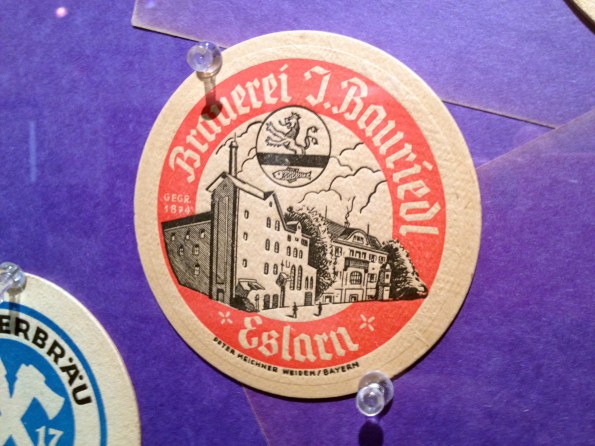
So apparently you can’t be a professor in RISD’s graphic design department unless you’ve collected at least one awesome thing your whole life. (I happen to know that Doug also collects stamps and tickets, brochures, and books, among other things.) This is some of his awesome collection of vintage beer coasters, which is currently on display on the second floor of the Design Center.




My information design professor, Kris Lenk, 75, just announced he has a collection of several hundred airline safety instructions. That he has collected (stolen) for most of his life. Baller! I knew people stole mini wine glasses but not the safety cards! Anyway, I found a site that documents these things in case you’re interested.

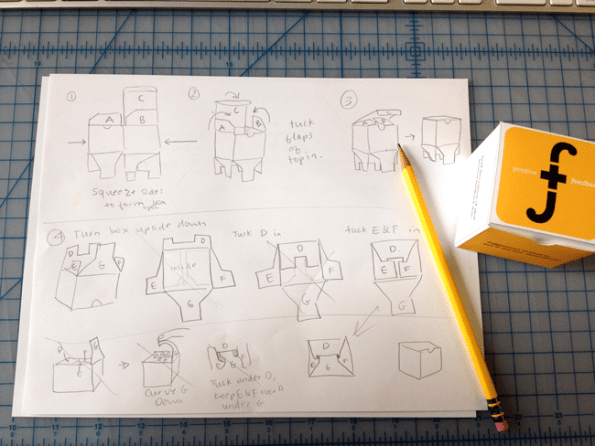
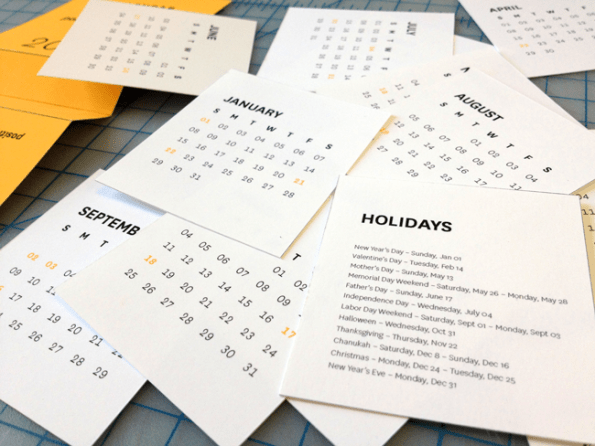
Sorta. I’m exhausted, so not super positive at the moment. I have a research paper and a mini essay due on Wednesday, neither of which I’ve started, a Final Crit next Friday, and 14 days to finish a second research paper, two more mini essays, and my entire degree project printed and nicely photographed…….. not to complain or anything. :P Here are a few more pics of what I’ve been working on for positive feedback.





So it turns out that was page two. I found page one! Here is the rest of Doug’s typography advice. (I was wondering why he left em and en dashes out). Again, my thoughts are added in italic.

when reversing type (white type on a color) consider a slightly bolder (semibold) weight, and also slightly letterspace.
in ragged text setting, make a pleasing rag without large, odd negative shapes; consider alternating long and short lines, that are not too regular, also use minimal hyphenation. avoid more than three hyphenated lines in a row.
re-rag or edit text to avoid widows and orphans.
in justified setting, in the paragraph window [of inDesign], under ‘justification,’ change the word spacing parameters to: minimum 75%, desired 93%, maximum 105%, this will give you much tighter spacing. adjust as needed. avoid rivers.
hyphens are for word breaks and compound hyphenated words. check The Chicago Manual of Style for other uses.
en dashes are for connecting numbers and words to show duration/to, such as 1947–2012, or Paris–London train. [option+dash on a Mac] it can also be used to set off a phrase (British usage) in a sentence with a space on either side. see The Elements of Typographic Style by Robert Bringhurst and The Chicago Manual of Style for other uses.
em dashes [shift+option+dash] can be used to set off a phrase (American usage). see The Elements of Typographic Style by Robert Bringhurst and The Chicago Manual of Style for other uses.
both em and en dashes benefit from using thin or hair spaces on both sides. adjust depending on the natural space around the letter or numbers on either side. (such as a 1 vs a 0). White spaces are in the type menu, at the bottom, below insert special character.
use the baseline shift to raise or lower dashes, slashes, parentheses, brackets, etc. to be optically centered around the type instead of on the same baseline.
kern letters that seem too far apart visually. letters such as Y, W, T, V often need a bit of kerning. display setting of titles and headlines always need kerning. also kern around dashes, punctuation, parentheses, and roman–italic shifts, bold–regular, two contrasting types, etc. you can’t always rely on the automatic settings, especially if the type is really big.
in display settings, avoid unnecessary punctuation. consider breaking the lines by sense, try to keep prepositional phrases together.
consider hanging quotation marks and other punctuation marks outside the column. you can do this by checking ‘optical margin alignment’ under ‘story’ in the type window or adding aspace before the mark and change the kerning to a negative amount until it looks right.
when setting paragraphs, be consistent. it is usually unnecessary to indent the first paragraph unless there is an overriding form reason.
always make sure everything is spelled correctly. my friend didn’t find his typo in the “dadication” until the book was printed and bound. (sorry Alex! yours was still the best book in the class! and English isn’t your first language)
I recommend using points and picas as a measurement preference. as opposed to inches or the metric system
well there you have it. A small piece of wisdom from Doug Scott. By the way, I recommend you purchase those two books that are linked. You’ll use them the rest of your life because some typographical rules just won’t change. That’s all for now. Hope you learned something today!
Courtesy of Doug Scott, smartest RISD professor ever! (in my opinion, but also unanimously if you are in the GD dept at RISD).
Type set in his favorite Chaparral, a wonderfully useful list of typographical advice, on his signature neon paper. Advice as follows: (my comments are in italic.)

choose typefaces that have everything you will need: weights, italic, glyphs, etc.
when mixing typefaces, be aware of x-height, structure, contrast.
create a grid or structure that accommodates all levels of material, think about columns, hang lines, zones.
be consistent. this is the most overlooked, important thing! Proof Read!!!
create a hierarchy that is clear. use size, weight, color, etc.
make sure that you have enough leading. do not use automatic leading.
consider separating the contents into chunks to help comprehension.
choose a column width which helps readability, not too narrow unless the chunks have very few words, and certainly not too wide. a good maximum is 2 1/2 alphabets = about 75 characters
remember to be aware of negative space, use it to help organize material. do not put too much material on a page.
one space after periods, exclamation marks, question marks, colons, semicolons. not two!
use correct apostrophes and quotation marks, prime marks are to be use to denote inches and feet, some suggest that italic prime marks are preferred. also use the optical alignment to have the quotes hang into the margin
be consistent in your use of small capitals, avoid too much all cap setting. it becomes hard to read, and less important if everything is all caps or bold.
when using all capital and small capital setting, slightly letterspace for better legibility.
use old style figures if they are available, if not, consider reducing slightly the size of lining figures. old style figures are designed to blend in with lowercase letters in body text, like dates, etc. lining figures are best when not in a paragraph
use ligatures that are available in your typeface. usually ff, fi, ffi, tt, etc.
use proper fractions. when making fractions, match the existing fractions.
be consistent in italicizing publication titles. check a style manual, such as The Chicago Manual of Style.
use the following in moderation and with good reason: underlining, letterspacing, lower case words, all capitals, italic text, reversed text.
he didn’t talk about em dashes and en dashes on this sheet, so I guess I’ll save that lesson for another time. Hope this helped!
Addition: read page two, the rest of Doug’s advice here


 stream of consciousness