
add copy
I have no idea why it took me so long to do this! I usually just manually rename every layer, but this will save me a lot of trouble. I guess I just got fed up. Best google search I’ve done today, that’s for sure.
- Click on the dropdown menu to the right of the Layers Panel
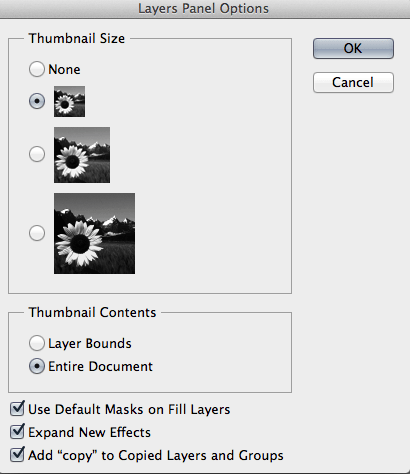
- Select Panel Options to open “Layers Panel Options” window
- uncheck “Add ‘copy’ to Copied Layers and Groups”
Works in CS4, CS5, and CS6. If you’re still using CS3, I’m sorry.


 stream of consciousness
Leave a comment